
Dispatcher Pro and Agent Addon Setup
1.Dispatcher Pro
To Active the Dispatcher Pro
📍 Admin Path:
Settings → Addons → Dispatcher Addons
✅ How It Works:
- Purchase Code Verify – Enter your purchase code and click Verify to continue.
- Upload Option – Once the purchase code is verified, the file upload option will be displayed.
- Upload File – Upload the file and click the Upload button. The upload process may take some time — please check again after 10 minutes.
- Run the following commands:
- 📌 npm install @fullcalendar/vue3 @fullcalendar/core @fullcalendar/daygrid @fullcalendar/timegrid @fullcalendar/interaction
- 📌npm install @fullcalendar/bootstrap @fullcalendar/list @fullcalendar/multimonth
- 📌 npm run build
- 📌 php artisan migrate
- 📌 php artisan db:seed
- After running these commands, go to
Settings → Business Setting.You will find the Dispatcher Pro login URL and Agent login URL there. - You can access it through that URL using the same dispatcher login email and password.
- Create an agent for login.
Users → Agent Management.
💡 Note: It will be displayed only after entering your purchase code.
✅ May Sure that You have Setup Properly:
sync to database.
Supervisor Setup.
2.Agent Management
-
Agents: Admins can add, edit, and delete agents based on the Service Location.
Admins can view agent details in the View Profile section.
📍 Admin Path:
Users → Agent Management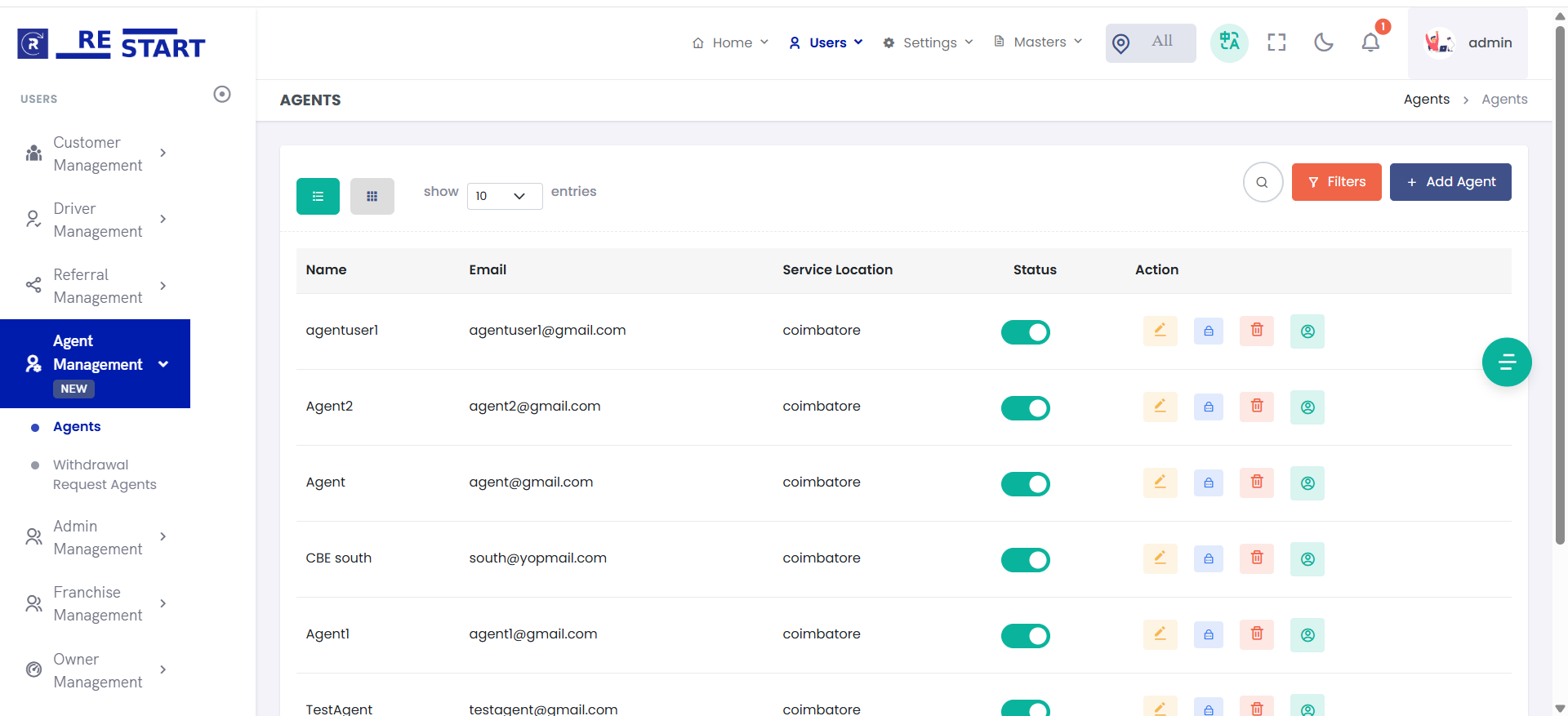
-
Agents Commissions: Admins can book rides, and at the end of the ride, the agent
commission is added to their wallet.
📍 Admin Path:
Home → Price Management → Set Price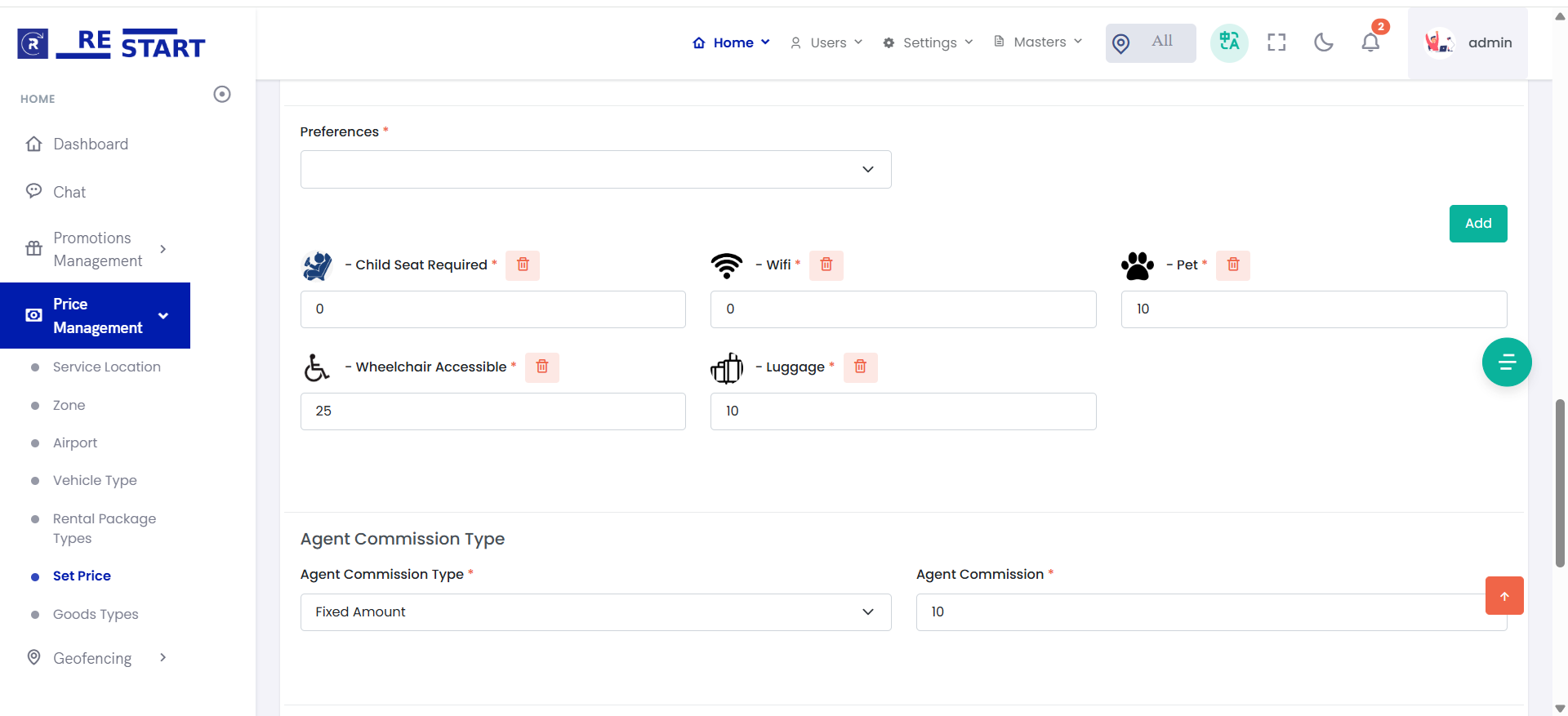
-
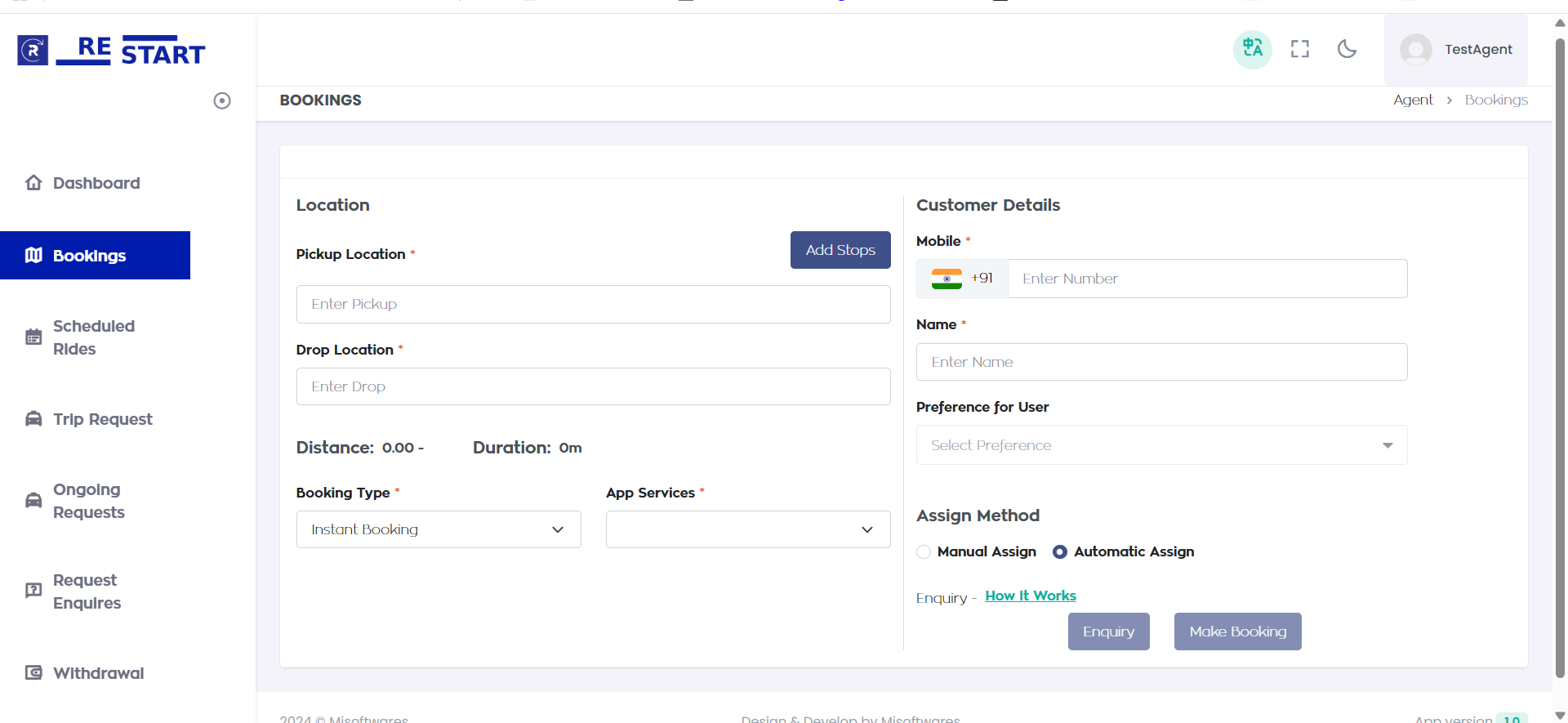
Agents Bookings: After creating an agent, log in as the agent, book rides, and
the commission will be added to the wallet after the ride ends.
-
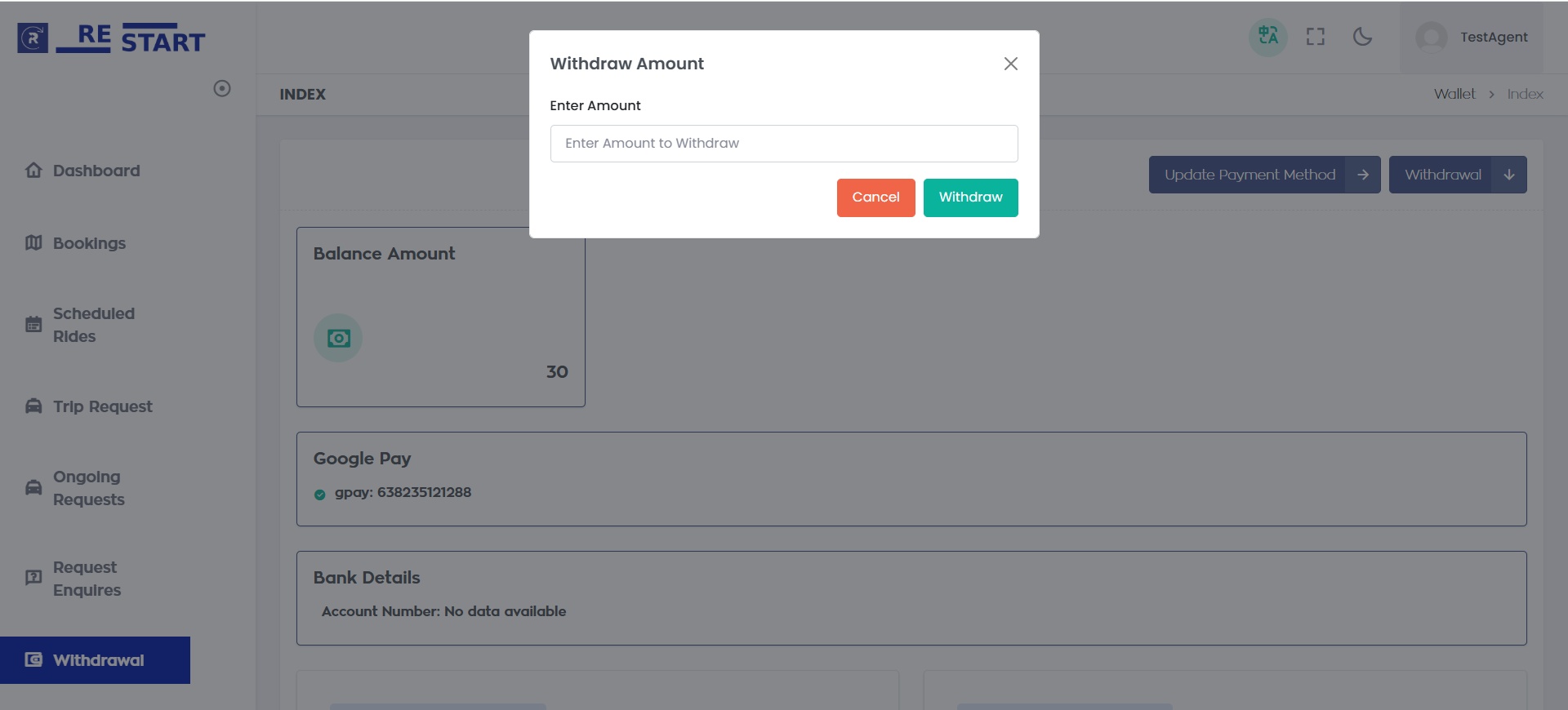
Agents Withdrawal: Agents can withdraw the amount from their wallet after the
admin approves the request.
3.Dispatcher Pro & Agent – How They Work
The system supports two different types of ride management users: Dispatcher Pro and Agent. Both can create rides and assign drivers, but their commission and ownership models are different.
1. Dispatcher Pro
A Dispatcher Pro works under the Admin and is mainly responsible for managing and dispatching rides.
How Dispatcher Pro Works
- Dispatcher Pro operates under the Admin.
- They can create/book rides on behalf of customers.
- They can assign available drivers to the rides.
- They can manage and monitor the rides they create or dispatch.
- Dispatcher Pro does not receive any commission from the rides.
- The ride revenue and commissions continue to follow the normal Admin/Franchise/Driver commission structure.
A Dispatcher Pro creates a ride for $10.
The Dispatcher Pro assigns Driver A to the ride.
The Dispatcher Pro receives:
$0 commission
The normal ride commission rules are applied to the $10 ride.
2. Agent
An Agent is a business partner who can create rides and earn a commission from the rides created by them.
How Agent Works
- An Agent can create/book rides for customers.
- The Agent can assign a driver to the ride.
- The Agent earns a configured commission from rides created by that Agent.
- The commission applies specifically to rides created by that Agent.
- The Agent does not receive commission from rides created by other Agents, customers, or Dispatcher Pro.
- The ride can still follow the applicable franchise/location rules.
Suppose:
- Ride Amount = $10
- Agent Commission = 5%
- Agent created the ride
- Agent assigns Driver A
Agent commission:
$10 × 5% = $0.50
Therefore, the Agent earns $0.50 from that ride.
Dispatcher Pro vs Agent
| Feature | Dispatcher Pro | Agent |
|---|---|---|
| Works under Admin | ✅ Yes | ❌ No / Business Partner |
| Can create rides | ✅ Yes | ✅ Yes |
| Can assign drivers | ✅ Yes | ✅ Yes |
| Earns commission | ❌ No | ✅ Yes |
| Commission based on | — | Rides created by Agent |
| Can manage assigned rides | ✅ Yes | ✅ Yes |
| Suitable for | Internal dispatch team | External/business partners |
How the Ride Flow Works
Dispatcher Pro
Agent
Important Difference
The key difference is who benefits financially from creating the ride.
Dispatcher Pro
Dispatcher Pro is an internal operational user working for the Admin.
They help manage and assign rides but do not earn commission.
Agent
Agent is a commission-based business partner.
They bring/create rides through the platform and earn commission on the rides they create.
For example, if an Agent creates 100 rides, the Agent's commission is calculated from those 100 rides according to the configured commission percentage.
If another Agent creates 50 rides, the second Agent receives commission only from their own 50 rides.