
Franchise Addon Setup
1.Franchise Modeule
To Active the Franchise Modeule
📍 Admin Path:
Settings → Addons → Franchise Addons
✅ How It Works:
- Purchase Code Verify – Enter your purchase code and click Verify to continue.
- Upload Option – Once the purchase code is verified, the file upload option will be displayed.
- Upload File – Upload the file and click the Upload button. The upload process may take some time — please check again after 10 minutes.
- Run the following commands:
- 📌 npm run build
- 📌 php artisan migrate
- 📌 php artisan db:seed
- After running these commands, go to
Settings → Business Setting.You will find the Franchise Login Url there. - You can access it through that URL using the Franchise Owner login email and password.
💡 Note: It will be displayed only after entering your purchase code.
✅ May Sure that You have Setup Properly:
sync to database.
Supervisor Setup.
2.Franchise Management
✅ How It Works:
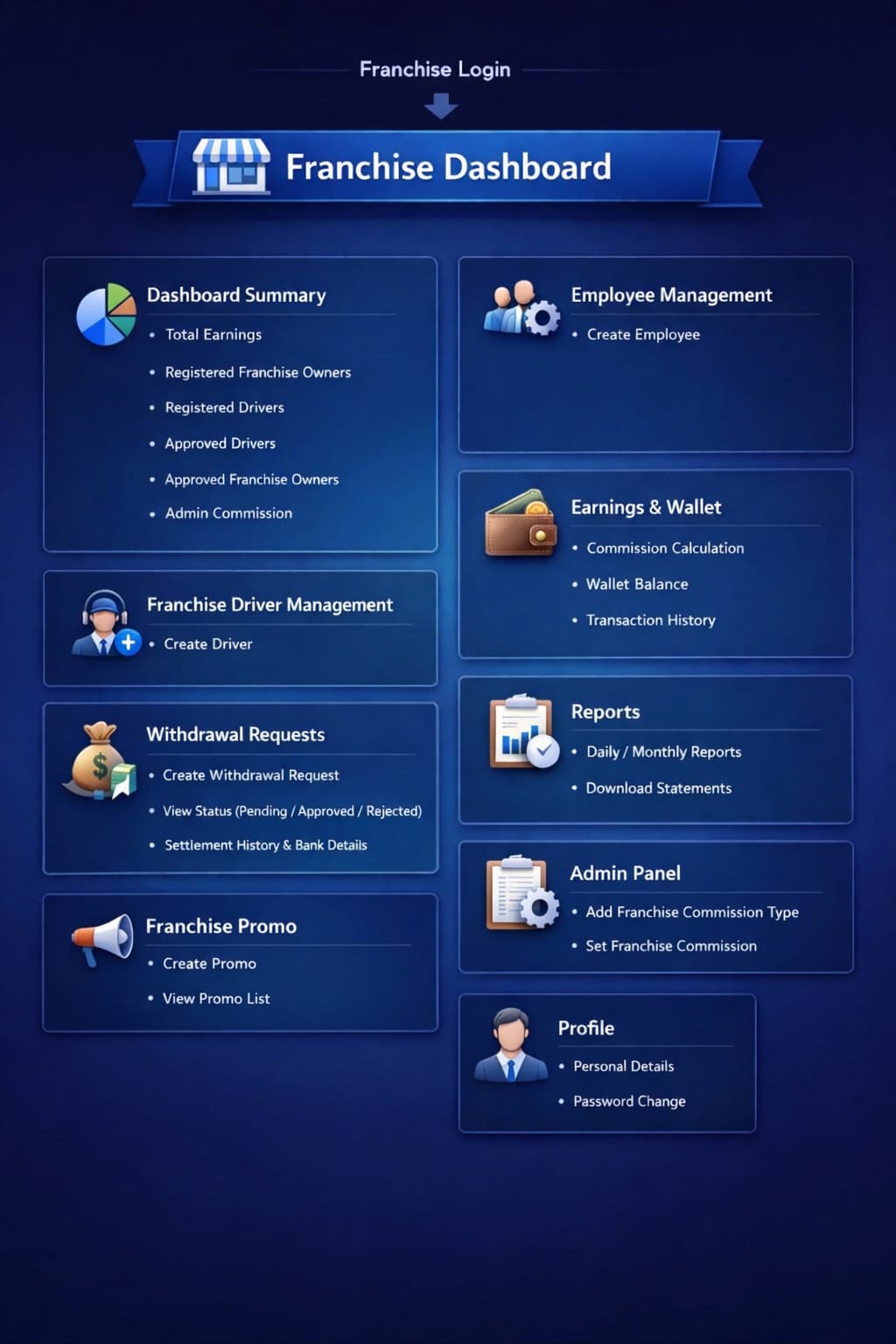
-
Franchise Commission : In the admin panel, the admin can create franchise
commissions by selecting the commission type as either percentage-based or fixed amount. The
configured commission will be automatically deducted from the total bill amount.
Example :
- If the bill amount is ₹1,000 and the commission type is 10%, then ₹100 will be deducted as commission.
- If the bill amount is ₹1,000 and the commission type is a fixed amount of ₹150, then ₹150 will be deducted as commission.
📍 Admin Path:
Home → Price Management → Set Price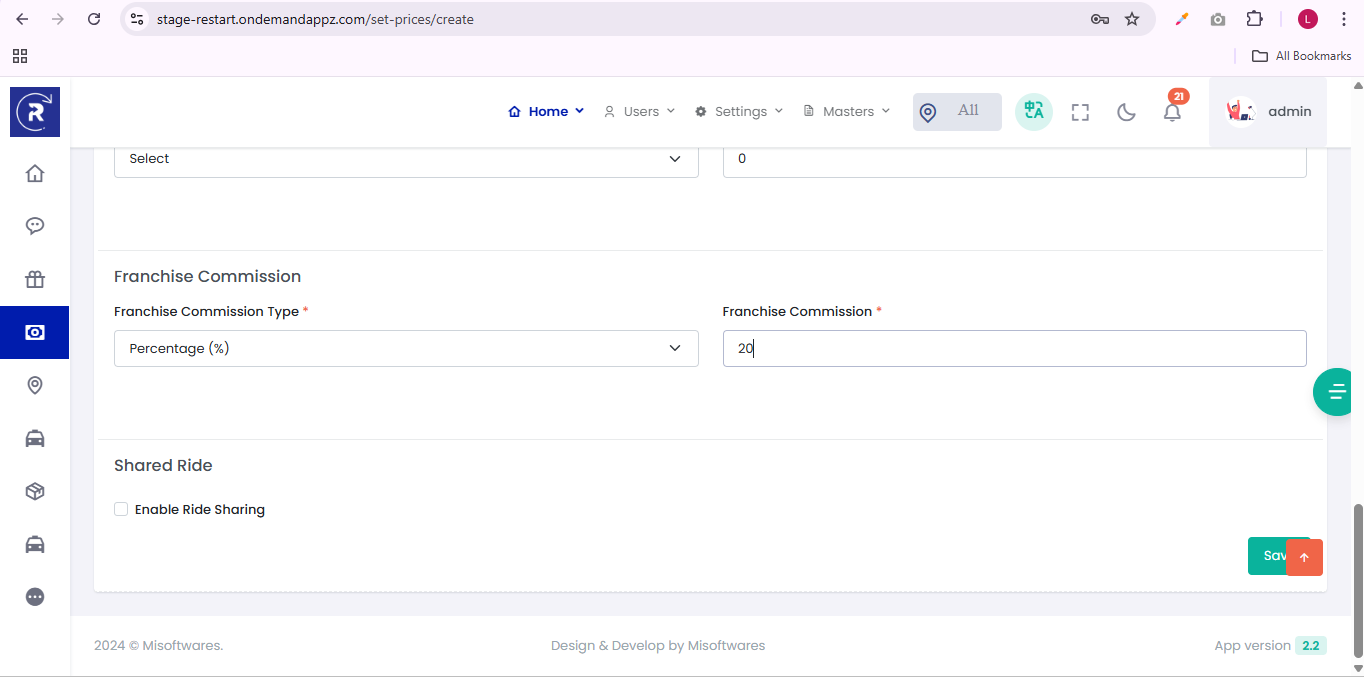
-
Manage Franchise Owners: Admins can add, edit, and delete franchise owner based
on the Zone. Admins can view owner details in the View Profile section.
📍 Admin Path:
Users → Franchise Management → Manage Franchise Owner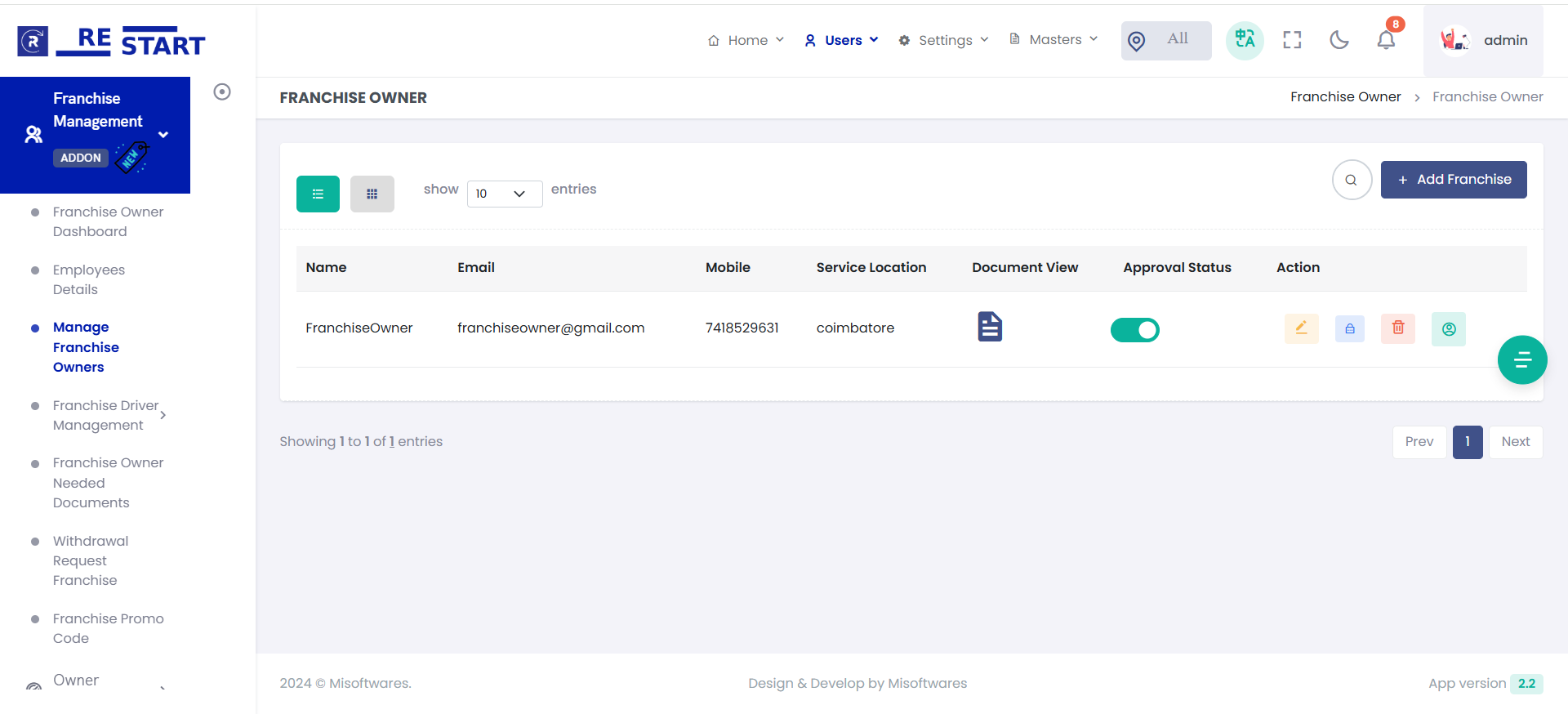
-
Franchise Employees: Admin and Franchise owners can add employees and assign
role-based permissions.
📍 Admin Path:
Users → Franchise Management → Employees Details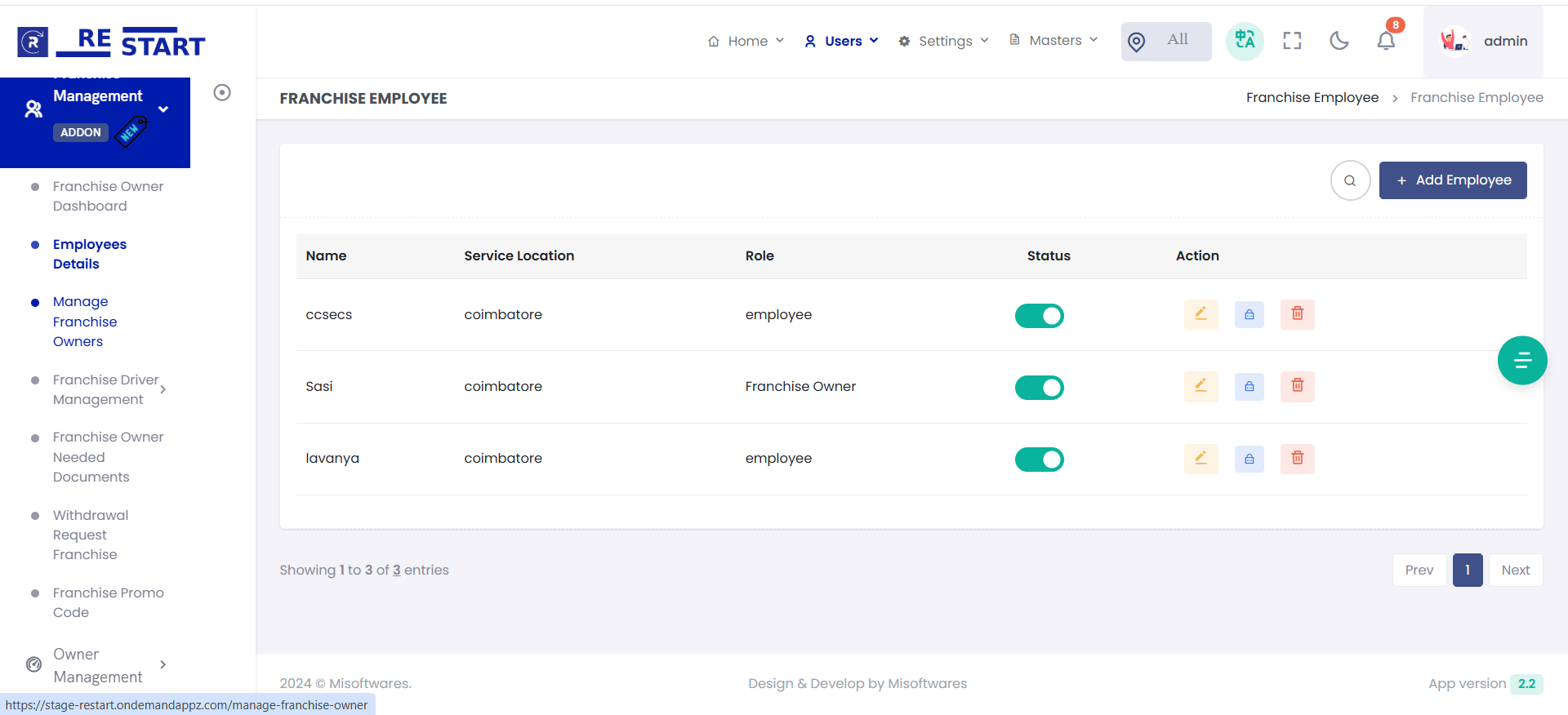
-
Franchise Drivers: Admin and Franchise Owner can add, edit, and delete drivers,
and manage driver profiles.
📍 Admin Path:
Users → Franchise Management → Franchise Driver Management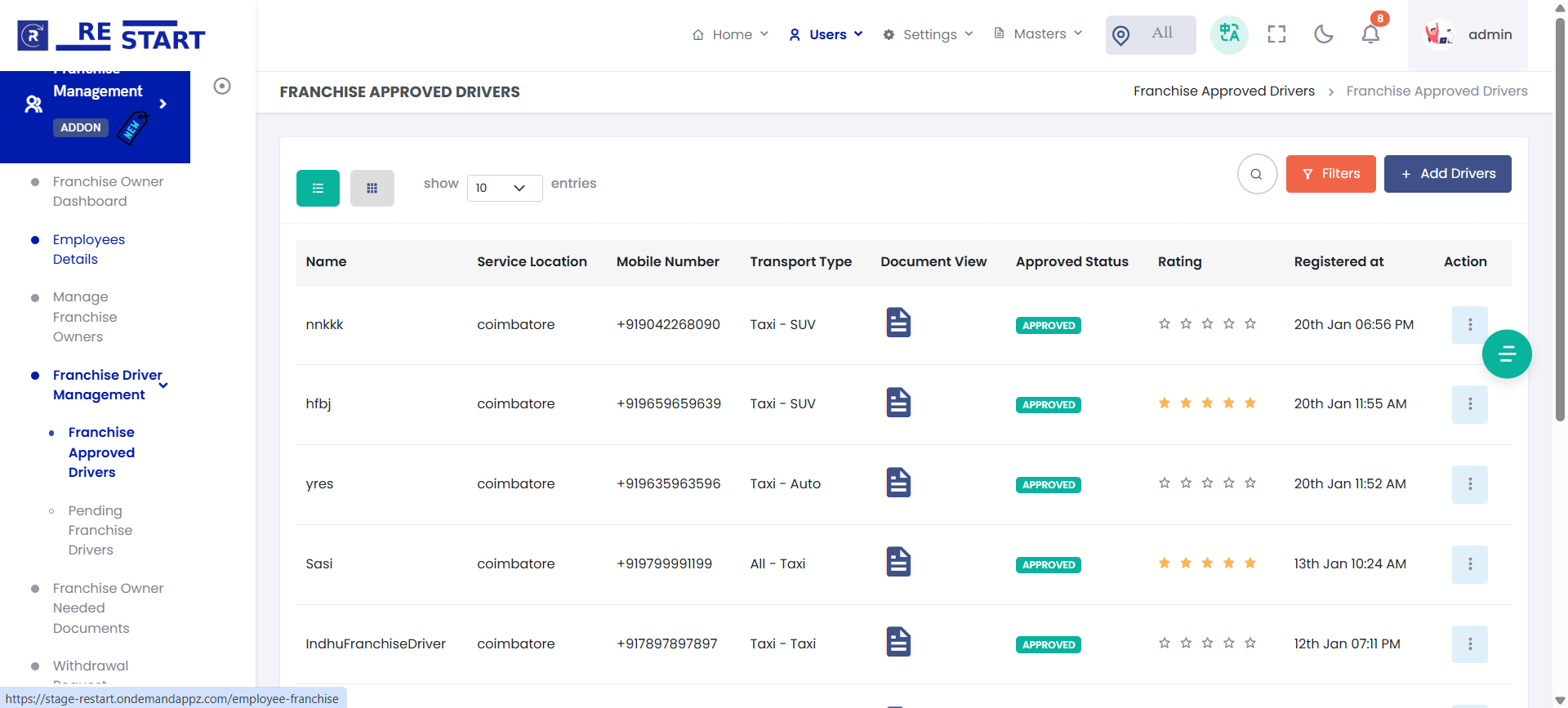
-
Franchise Promo: Admin and Franchise Owner can add, edit, and delete promo codes
for their zone to increase bookings and customers.
📍 Admin Path:
Users → Franchise Management → Franchise Promo Codes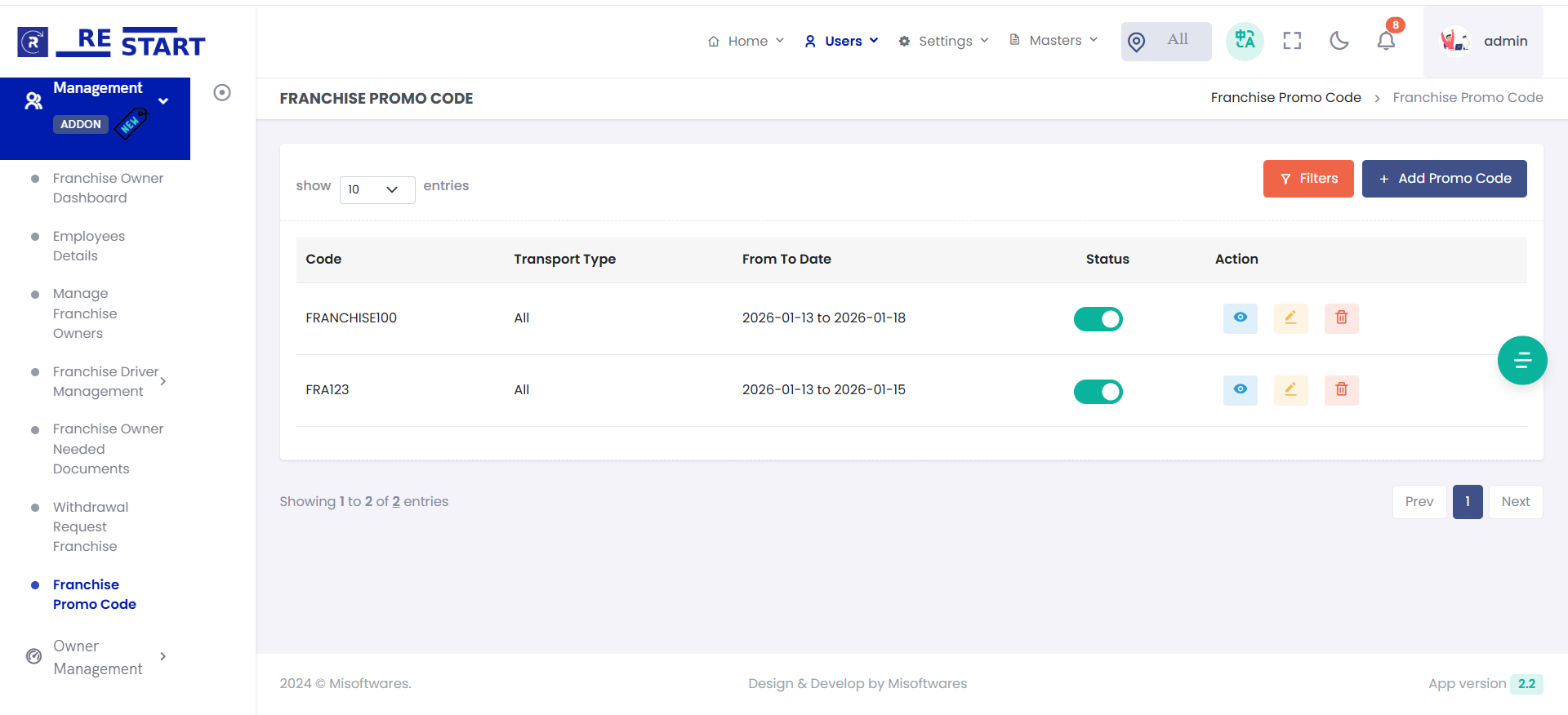
-
Franchise Dashboard: Admin can overview of franchise performance, including total
trips, revenue, earnings analytics .
📍 Admin Path:
Users → Franchise Management → Franchise Dashboard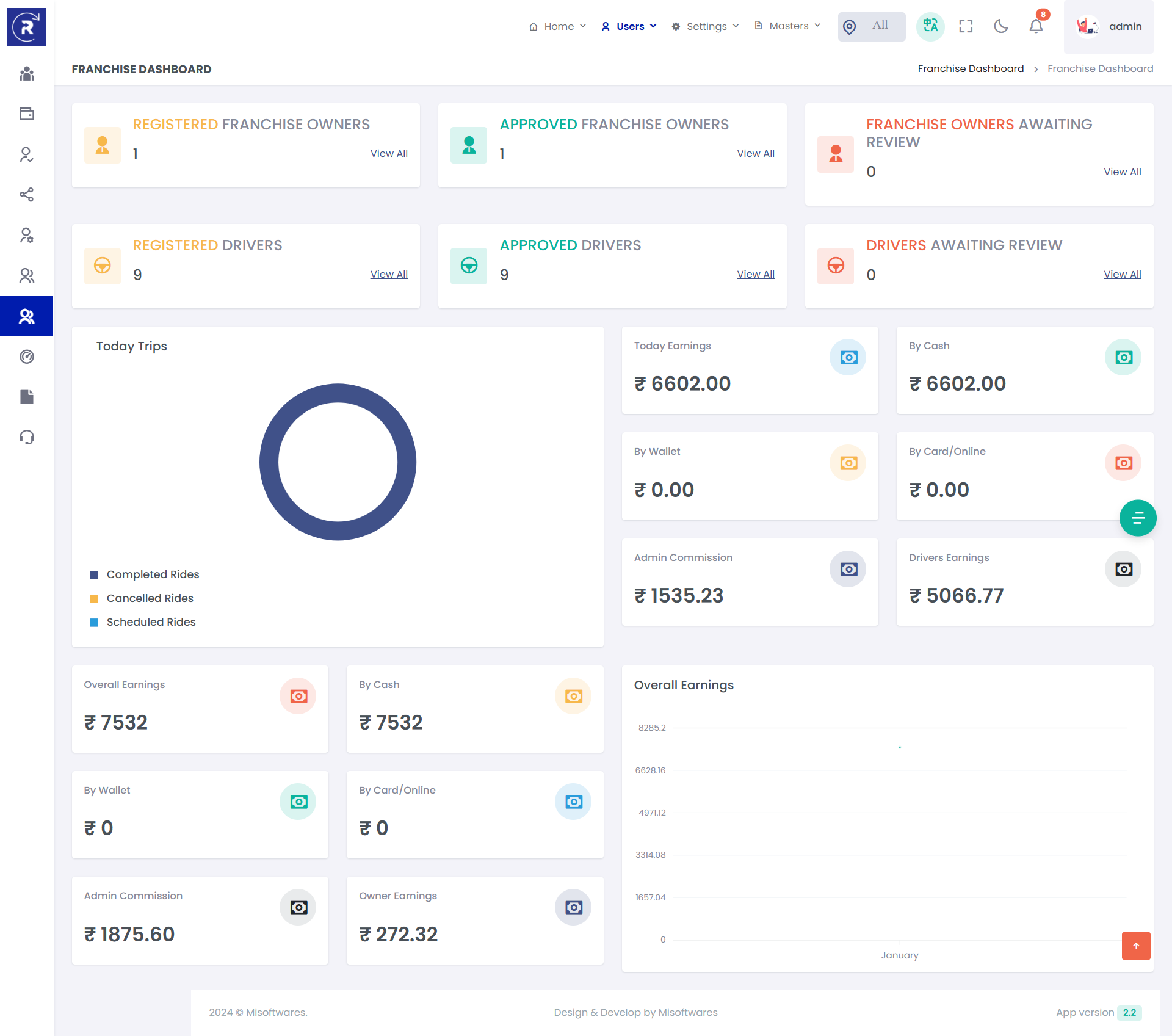
-
Franchise Withdrawal: Franchise owners can request withdrawal of trip
commissions, and the admin will approve the request.
📍 Franchise Owner Path:
Users → Franchise Management → Withdrawal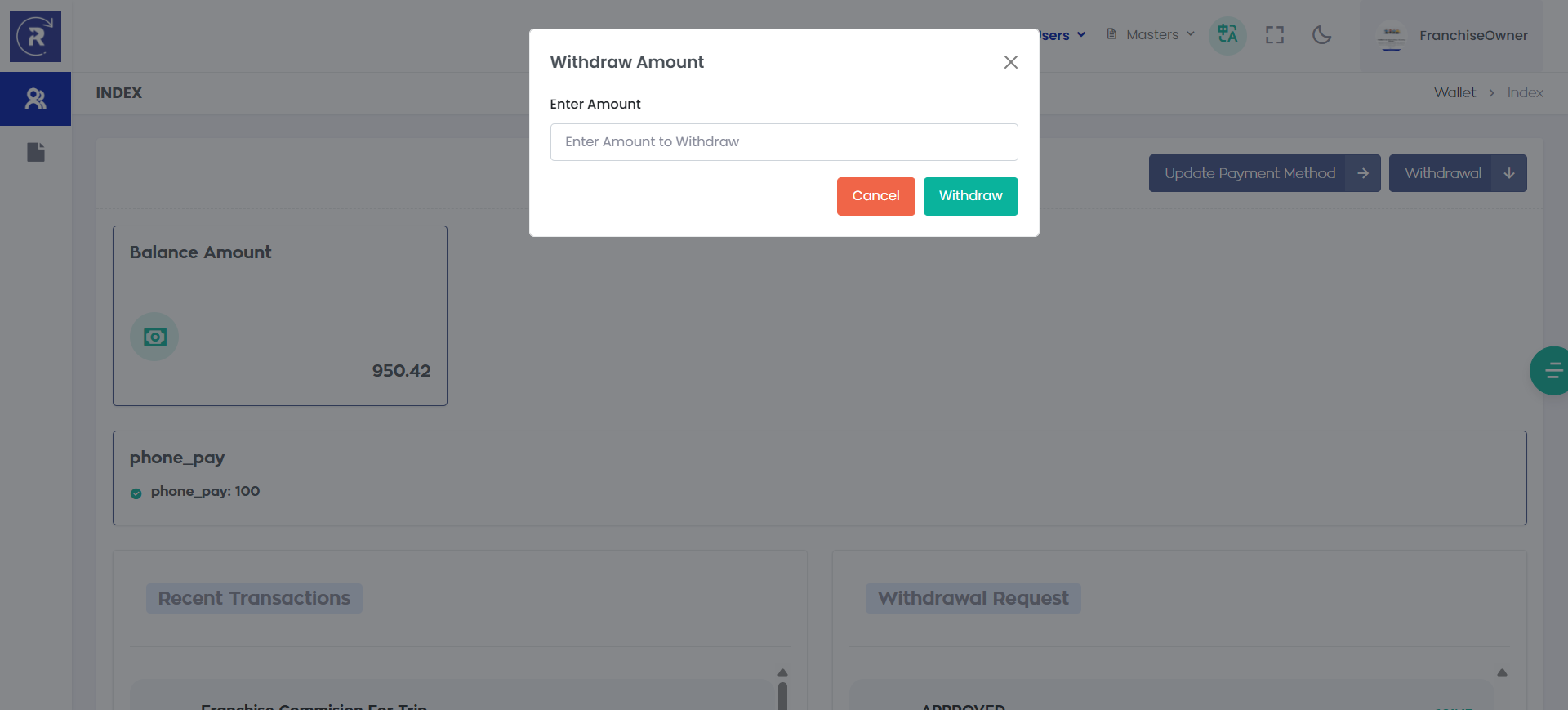
📍 Admin Path:
Users → Franchise Management → Withdrawal Request Franchise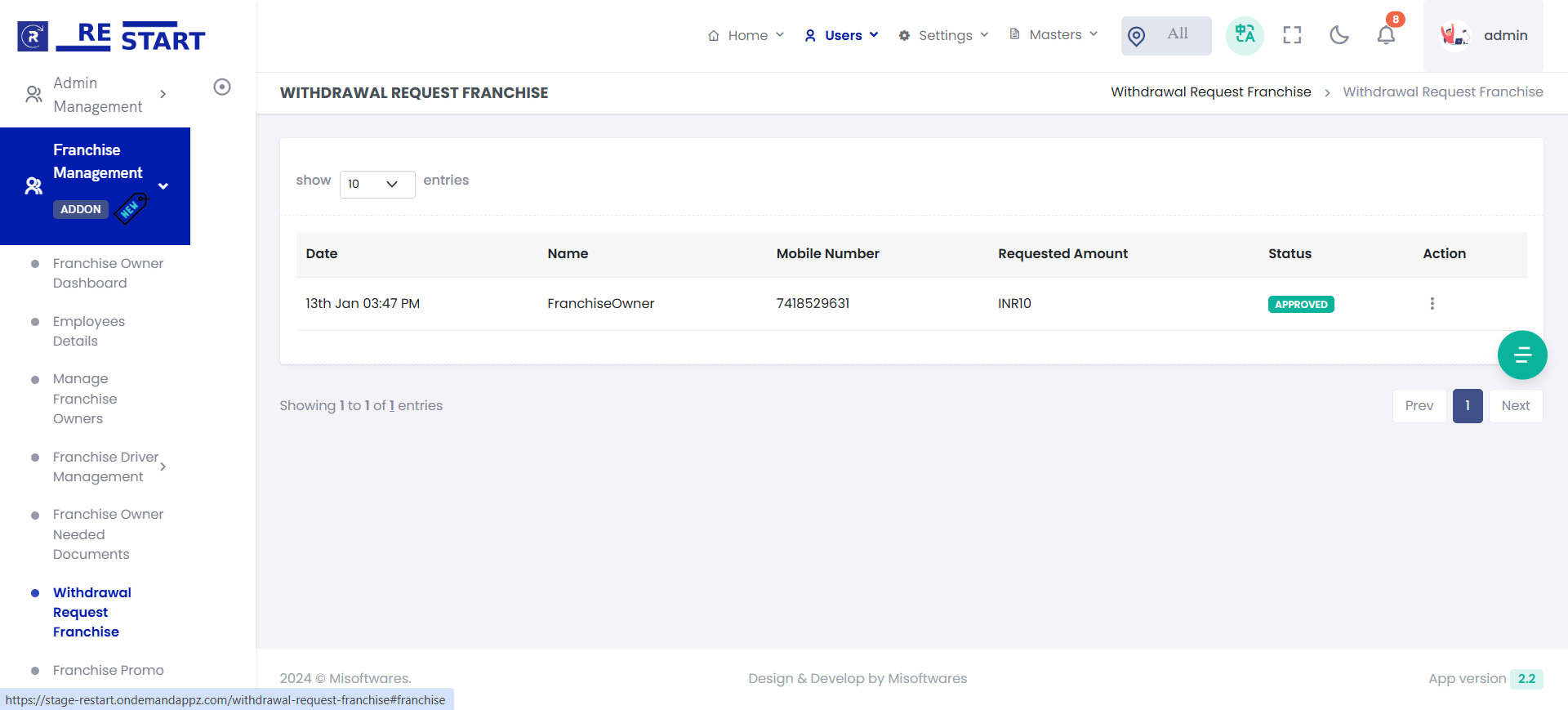
3.Franchise Commission – How It Works
What is a Franchise?
A Franchise is a business partner who manages and operates ride services within a specific service location or geographical area.
The franchise system allows the platform owner (Admin) to expand the ride business into different locations while assigning the rides generated from each location to the corresponding franchise owner.
For example:
- Franchise A → Chennai
- Franchise B → Bangalore
- Franchise C → Coimbatore
When a ride is booked within a particular service location, the system automatically identifies the franchise assigned to that location and applies the franchise commission to that ride.
How Franchise Works
The franchise commission is calculated based on the service location of the ride.
The system determines the franchise using the location configured for the service/ride. If a ride falls within a franchise's assigned service location, that franchise becomes eligible for the commission from that ride.
Suppose:
- Ride Total Amount = $10
- Service Location = Chennai
- Chennai is assigned to Franchise A
- Franchise Commission = 10%
When a customer books a ride in Chennai:
$10 × 10% = $1
Therefore, Franchise A earns $1 from that ride.
Franchise Commission Distribution
Using a $10 ride as an example:
| Recipient | Calculation | Amount |
|---|---|---|
| Driver | $10 − $1 Admin Commission − $1 Franchise Commission | $8 |
| Franchise Owner | 10% of $10 | $1 |
| Admin – Driver Commission | 10% of $10 | $1 |
| Admin – User Commission | 10% of $10 | $1 |
| Total | $10 |
Driver: $8
Franchise Owner: $1
Admin: $2
Location-Based Franchise Assignment
The important point is that the franchise is not selected manually for every ride.
Instead, franchises are associated with specific service locations.
For example:
| Service Location | Franchise | Franchise Commission |
|---|---|---|
| Chennai | Franchise A | 10% |
| Bangalore | Franchise B | 10% |
| Coimbatore | Franchise C | 10% |
- If a ride is created in Chennai, the system identifies Franchise A.
- If a ride is created in Bangalore, the system identifies Franchise B.
- If a ride is created in Coimbatore, the system identifies Franchise C.
The applicable franchise therefore depends on where the service is being provided.
What Happens When a Ride Is Booked?
The process works as follows:
This makes the franchise system scalable because new locations can be assigned to different franchise owners without changing the basic commission calculation.
Example With Multiple Locations
Assume the platform has three franchises:
- Franchise A manages Chennai
- Franchise B manages Bangalore
- Franchise C manages Coimbatore
A customer books a $20 ride in Bangalore.
Because Bangalore belongs to Franchise B, the system calculates:
Franchise B Commission = 10% of $20 = $2
Franchise B receives the $2 commission.
If another customer books a ride in Chennai, the commission is instead assigned to Franchise A.
Therefore, each franchise earns commission only from rides generated within its assigned service location.
Key Benefits of the Franchise Model
1. Location-Based Business Management
Each franchise owner is responsible for a particular service area.
2. Automatic Commission Allocation
The system automatically determines which franchise should receive the commission based on the ride's service location.
3. No Manual Ride Assignment
Admin does not need to manually assign a franchise to every ride.
4. Multiple Franchises
The platform can support multiple franchise owners operating in different locations.
5. Scalable Business Model
As the business expands, new service locations can be assigned to new franchise owners.
6. Transparent Earnings
Each franchise owner can track the rides and commissions generated from their assigned service locations.
Important Point
The franchise commission is location-based, not driver-based.
A driver can complete rides in different locations, but the franchise commission belongs to the franchise that manages the service location where the ride is generated.
For example:
If Driver A completes a ride in Chennai, the Chennai franchise receives the franchise commission.
If the same Driver A later completes a ride in Bangalore, the Bangalore franchise receives the franchise commission.
Therefore, the ride/service location determines which franchise receives the commission.
In Simple Terms
A franchise is a location-based business partner.
The platform owner can give a franchise owner responsibility for a particular service location. Whenever rides are generated within that location, the assigned franchise owner receives the configured franchise commission from those rides.
Service Location → Assigned Franchise → Franchise Commission
This allows the platform to operate a single centralized system while allowing different franchise owners to earn from their respective geographical/service areas.